
Operation
Mark the gaps in the bill of materials
Missing bill-of-materials lines and unknown numbers stay marked until a person closes them before release.
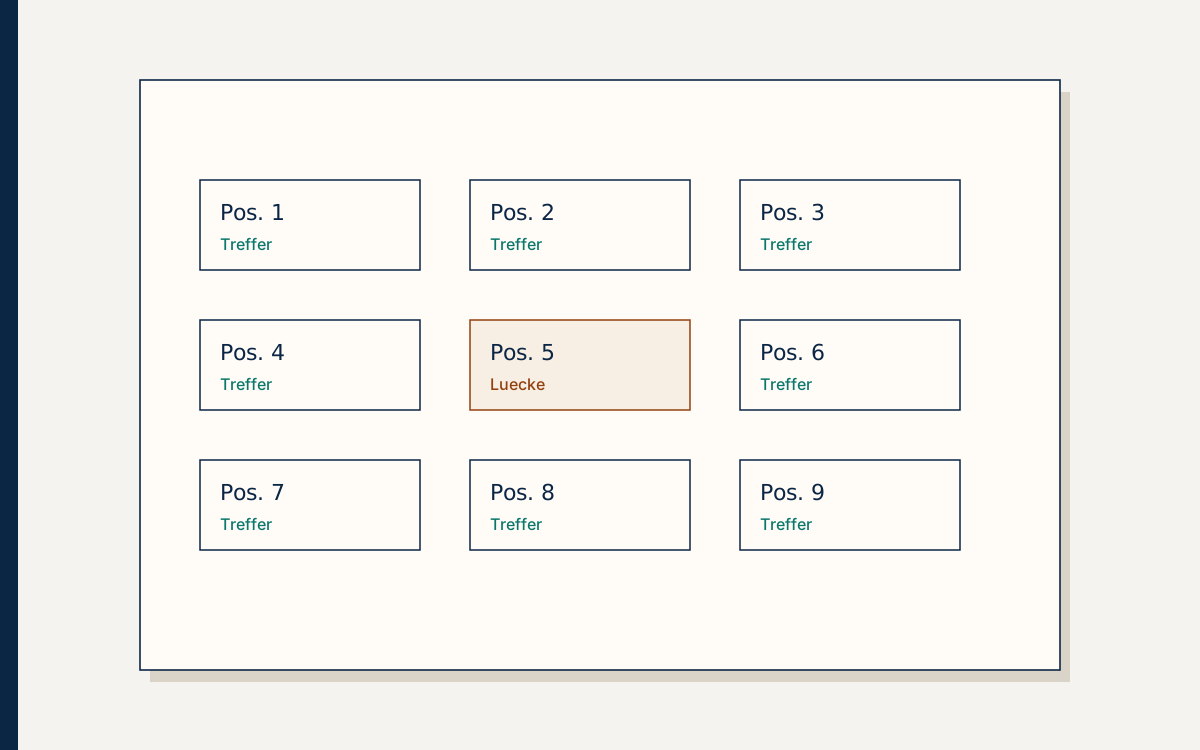
On the sheet, position 14 is a clean balloon with a leader line that lands on the seal facing. In the bill of materials beside it, the list stops at position 13. Below that sits a number that appears on the sheet and has no line in the system. The person preparing the assembly for release sees the gap late in the afternoon. Next morning, service wants to show the station. The screen would be done faster if someone typed a number that looks like the others, in the shape of 400-3106, only with a different ending. The screen would look complete. The completeness would be invented.
An invented number is not a bridge. It is a part number the customer takes as real, because it sits where real numbers sit. The parcel that follows does not fit, or the part does not exist, and the question comes back while the machine is down. A visible gap shows up earlier, and it shows up with you, not with the customer.
A gap is a finding
A gap means the drawing and the bill of materials do not say the same thing at that place. The balloon has no line. The line has no balloon. The number on the sheet is unknown in your number range. The name is missing, or the same position has two names, depending on which PDF you open. Those are findings in your documents. They are not the customer's mistakes, and they are not a fault in the screen.
To mark a gap is to leave the finding where the person who releases can see it. The mark says that nobody yet has a line they can stand behind. While it is visible, the assembly does not pretend that every position can be ordered.
An import can show these findings. It can count which balloons meet a line and which miss. It can tell an unknown number from a known one, if the list it checks against is right. It cannot close the gap. Closing means knowing whether the line was forgotten or the part was never meant to be ordered alone. That knowledge is not in the file. It sits with the person who can answer for the assembly and the bill of materials.
Why the full screen is worse
A screen where every position has a number looks finished. Finished is what the deadline wants, and what a screenshot shows to sales. The customer sees the same finished screen the moment you release. They tap position 14 and receive a number someone typed so the field would not stay empty. They have no reason to doubt it. The number has the right shape. The name sounds like the part. Both can be invented in half a minute, and later nobody can see that they were invented.
The visible gap holds release. That delay is the point. An assembly with a marked gap is not yet a way to order. An assembly with the gap papered over is a way to order the wrong line. A customer who once received a part that does not exist will not tap the next position. They call, or they look for a copy.
Guessing in the shape of the numbers you already have is convincing, and that is the danger. Add one to the neighbouring number and stores will search for it, because the request looks real. The time until someone says "this number does not exist" is lost, and the machine stays down. A marked gap would have given that answer before the request existed.
Who closes the gap
A person closes the gap, before release, with both documents open. Drawing and bill of materials lie side by side. They check whether the balloon needs a line. Some positions are notes, pictures of screws, or dimensions nobody orders alone. Those stay without an order line. That is a decision, not a hole. The decision has to be visible, or the next person treats the hole as something forgotten and fills it anyway.
Where a needed line is missing, it is taken from a source you trust: the valid bill of materials, the change notice, or the service colleague who knows which part really sits there. Filling in means looking it up, not writing what sounds plausible. An unknown number stays unknown until someone identifies it. It may be a typing error, with the right number already beside it, or a number from another family. Write both down. Neither is a reason to leave the printed number in place.
That person need not be design alone or service alone. It is whoever can read both sides and leave a gap when the source runs out. Then the mark stays and the assembly is not released. The customer does not see it, and the request for that part still comes in person, from the file. Slower for one place, and honest for the positions that already work. Gaps elsewhere are no reason to hold a finished assembly back. Gaps in this one are a reason not to show it as finished.
Gaps found after release
A checked assembly can still show a gap later. Someone orders, the part does not fit, and a second look finds a missing line that looked like a screw the first time. Or a number that existed in the system belonged to the wrong family and slipped through on its shape alone. The finding is new. The temptation is to swap the file quietly so that tomorrow looks right.
A quiet swap means position 14 meant one part in the morning and another in the afternoon, and the morning request does not know. The email carries one part number. The sheet you show now carries another, with nothing to say the number was superseded or corrected. Anyone who later compares them will call one a typing error. At the time, both were what release had shown.
Withdraw the assembly and release it again. Take it out of view, close the gap, check once more, and release the corrected revision. Until then the customer does not see this assembly, and does not see a half-new sheet where one position is fixed and the next is still wrong. Requests already sent keep their revision, so the email can still be explained. Supersession is different: the old number stays findable, with the successor noted beside it. A repaired gap was never a valid part number. Both are handled by withdrawing and releasing again, not by a file that has quietly become another file by evening.
What the customer sees of it
Before release the customer does not see the gap, because they do not see the assembly. You answer from the file, as you do today, and you release when the line is sound.
After release they see positions that have a line. They set the quantity themselves. The request goes out as email or CSV, with series, assembly, position, part number, name, quantity, and a note when a number has been superseded. A gap has no place in that line, because a gap is not a request. It is an open finding on your side.
Hide the gap in the screen and you move the finding into the parcel. Mark it and you keep it on the table where the drawing and the bill of materials lie. That is where it belongs, until a person closes it and release states that this assembly may be shown.
By Clemens Jonathan Schmid
Related articles
All articles
Operation
One assembly is enough for the first trial
One sheet, one bill of materials, the serial numbers that belong to it. That shows whether the path holds before the whole family is documented.
By Clemens Jonathan Schmid8 min read
Operation
The assembly becomes visible when you release it
A drawing in the portal is a statement to the customer. The manufacturer makes that statement, not the upload.
By Clemens Jonathan Schmid4 min read
Operation
The inquiry arrives as an email or a CSV
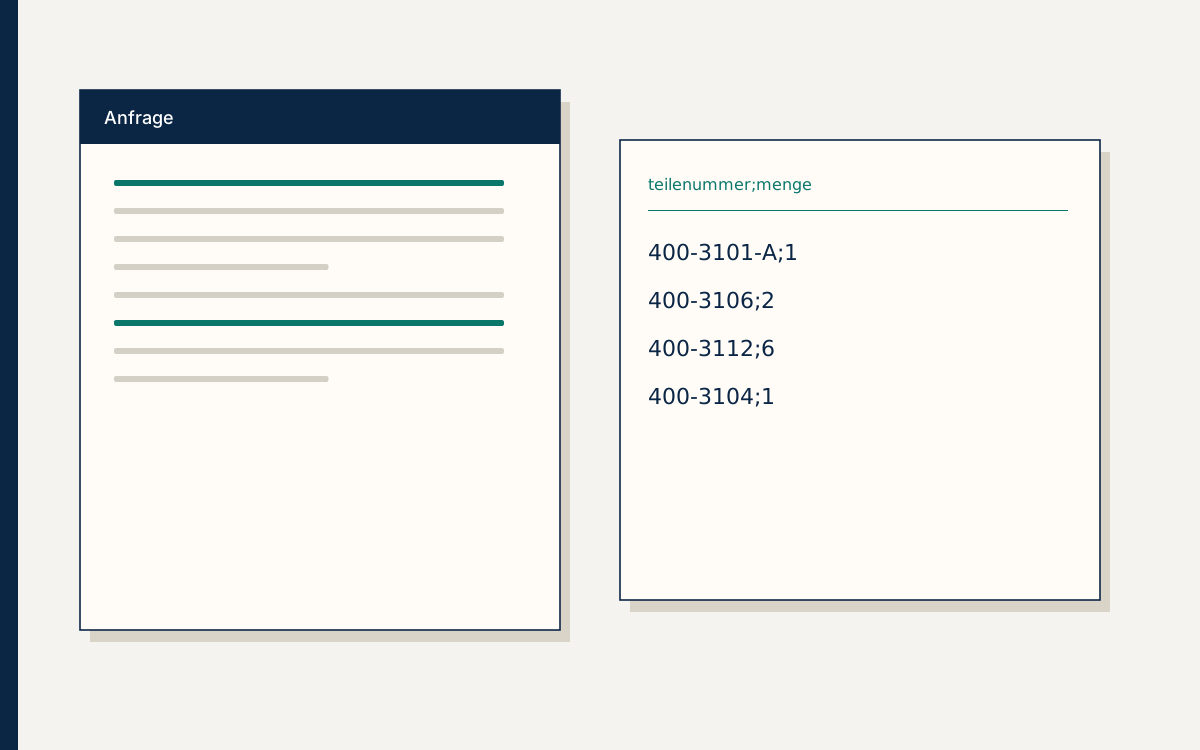
A line a person can take over is the handover Partmira delivers, and the ERP stays yours.
By Clemens Jonathan Schmid8 min read